Working with Irregular and Angled Floor Plans
An irregular floor plan needs more care than a rectangle because one overall width and depth cannot describe every corner. Angled walls, recesses, and…
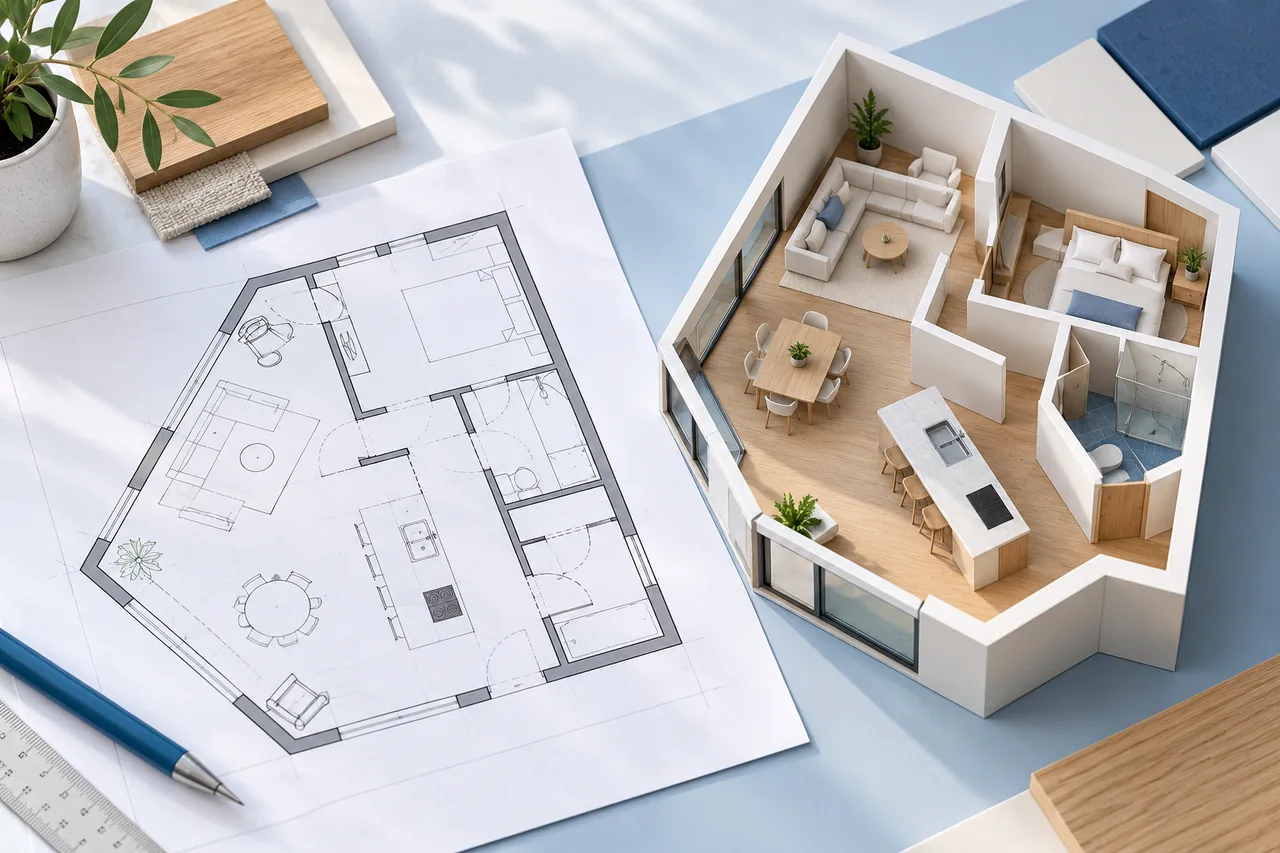
An irregular floor plan needs more care than a rectangle because one overall width and depth cannot describe every corner. Angled walls, recesses, and projections can change both the usable area and the way furniture fits.
Begin by identifying which parts are actually measured and which are only suggested by the drawing. A visually convincing outline is not enough to establish accurate geometry.
Break the shape into understandable parts
For an L-shaped room with right-angle corners, a rectangular envelope and a rectangular cutout can describe the area clearly. Record the dimensions of both, using the same units and the same boundary convention.
For example, an 8-by-6-metre envelope with a 3-by-2-metre cutout has an area of 48 minus 6, or 42 square metres. This works only when the cutout and envelope genuinely match the room. It is not an approximation method for every angled shape.
Measure the recesses as well as the overall span
A small alcove can matter more to a furniture decision than the room's total width. Record the width, depth, and position of each recess or projection that affects the intended arrangement.
Check how measurements relate to one another. If the lengths along one side do not add up to the overall dimension, investigate the discrepancy instead of quietly stretching one segment until the drawing closes.
Treat angled walls explicitly
An angled boundary cannot always be replaced by a convenient right angle without changing the layout. Record enough information to locate its endpoints, and keep uncertain dimensions marked as uncertain.
The manual creator can draw wall segments between coordinate points. That helps represent a concept, but its current room envelope and furniture warnings are simplified. A footprint appearing inside the envelope does not prove that it clears every angled wall.
Review automatic conversion closely
The converter extracts likely wall polygons from an image. Simple, mostly orthogonal drawings are easier to review; complex diagonal linework and curved boundaries can produce unexpected shapes.
Compare the 2D overlay with the source before examining the shaded model. Look for joined corners that should be separate, missing narrow recesses, and decorative linework interpreted as walls. A smoother-looking result is not necessarily a more accurate one.
Use the right area method
The current area calculator supports a rectangle or an L-shaped arrangement represented by a rectangular cutout. It does not calculate arbitrary polygons or curved boundaries. Do not force a different room shape into those inputs and describe the result as exact.
For a complicated shape, obtain an appropriate measured drawing and use a method suited to that geometry. Keep the resulting area definition consistent when comparing alternatives.
Use the L-shaped layout guide for an orthogonal recess, or return to measuring a room before drawing an irregular boundary.