How to Plan an L-Shaped Room
An L-shaped room naturally creates two connected areas, but the corner between them can become either a useful transition or an awkward bottleneck. Begin by…
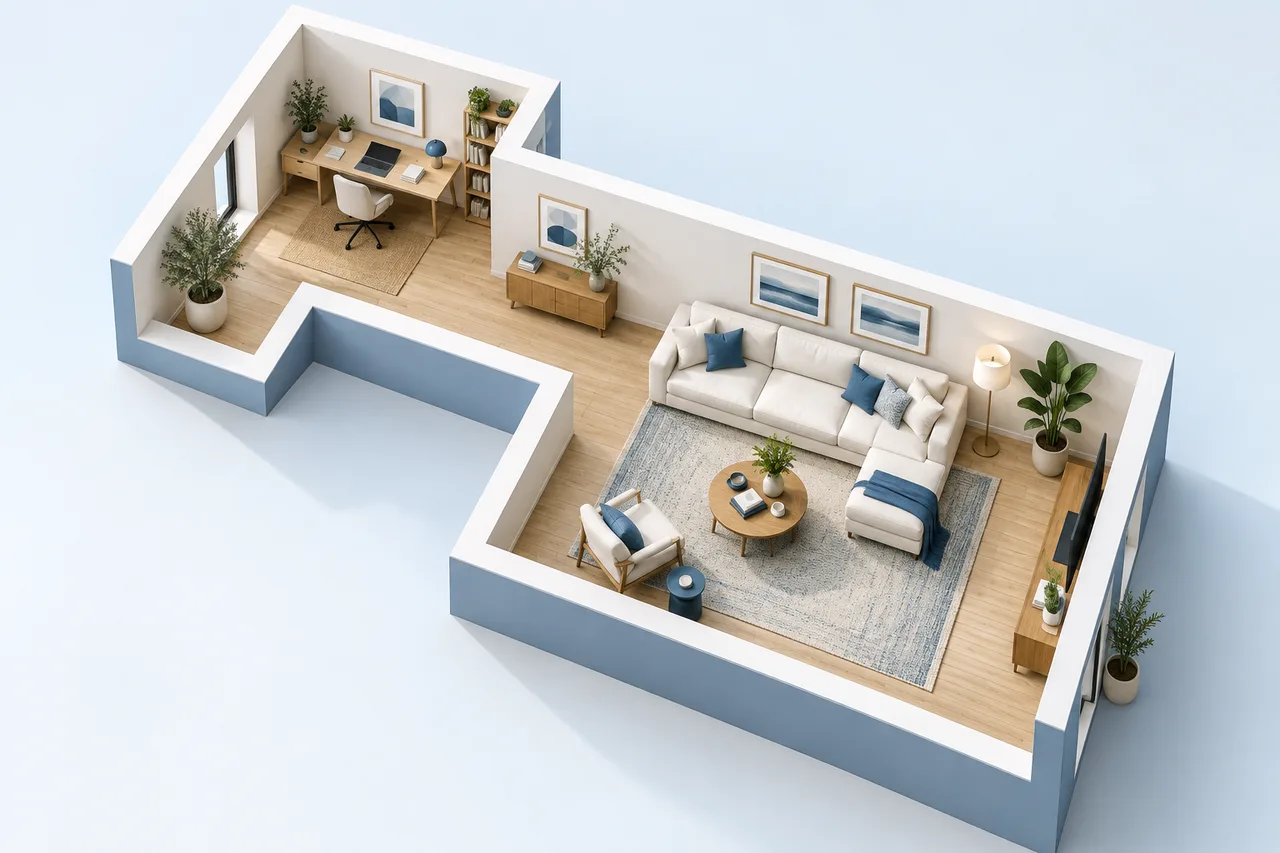
An L-shaped room naturally creates two connected areas, but the corner between them can become either a useful transition or an awkward bottleneck. Begin by measuring the actual outline and deciding which activities belong in each part.
A single overall width and depth describe the surrounding rectangle, not the full usable geometry. Record the missing corner or each rectangular section separately.
Establish the area correctly
For a simple L shape, calculate the surrounding rectangle and subtract the missing corner. A 6 m by 5 m envelope with a 2 m by 1.5 m cutout has an area of 30 minus 3, or 27 m². These are example values; use your own measurements.
The room area calculator performs this subtraction. For more complicated outlines, divide the space into non-overlapping rectangles and keep a sketch showing the parts.
Decide how the two legs relate
One section may suit seating while the other supports work or dining. Consider the location of doors, windows, and fixed fittings before assigning the functions. A deeper or narrower leg may be less flexible than its area suggests.
Keep the relationship between the zones clear. An arrangement that works in each section separately may still fail if the route between them passes through the operating space of furniture.
Protect the inside corner
The inside corner often concentrates movement and sightlines. Avoid filling it with the first storage piece that appears to fit. Trace the route through the room and check how furniture near the corner affects that transition.
A large rectangular item can protrude into the connection between the two legs even when most of its footprint sits comfortably inside one zone. Inspect the actual wall geometry as well as the outer envelope.
Draw the real outline
Use the floor plan creator to draw the L-shaped boundary with wall segments. Clear the initial rectangle if needed and enter coordinates that match the measured outline. Keep the drawing area large enough for every segment.
Furniture warnings in the planner compare the rectangular envelope and other furniture; they do not automatically understand every concave boundary. Check whether an item crosses the missing corner or a drawn wall yourself.
Compare arrangements at the connection
Save alternatives that change the position of the largest item or the function assigned to each leg. Review the route, access to openings, and the use of the inside corner. Keep the same measured outline in both files.
Export a clear 2D view for discussion. A 3D wall preview can help explain the enclosure, but it does not replace the measured plan when checking whether furniture occupies the usable part of the room.