How to Review a Generated 3D Wall Model
A generated wall model should be reviewed against its source before it is shared or used to compare design ideas. The shaded 3D view is useful, but the 2D…
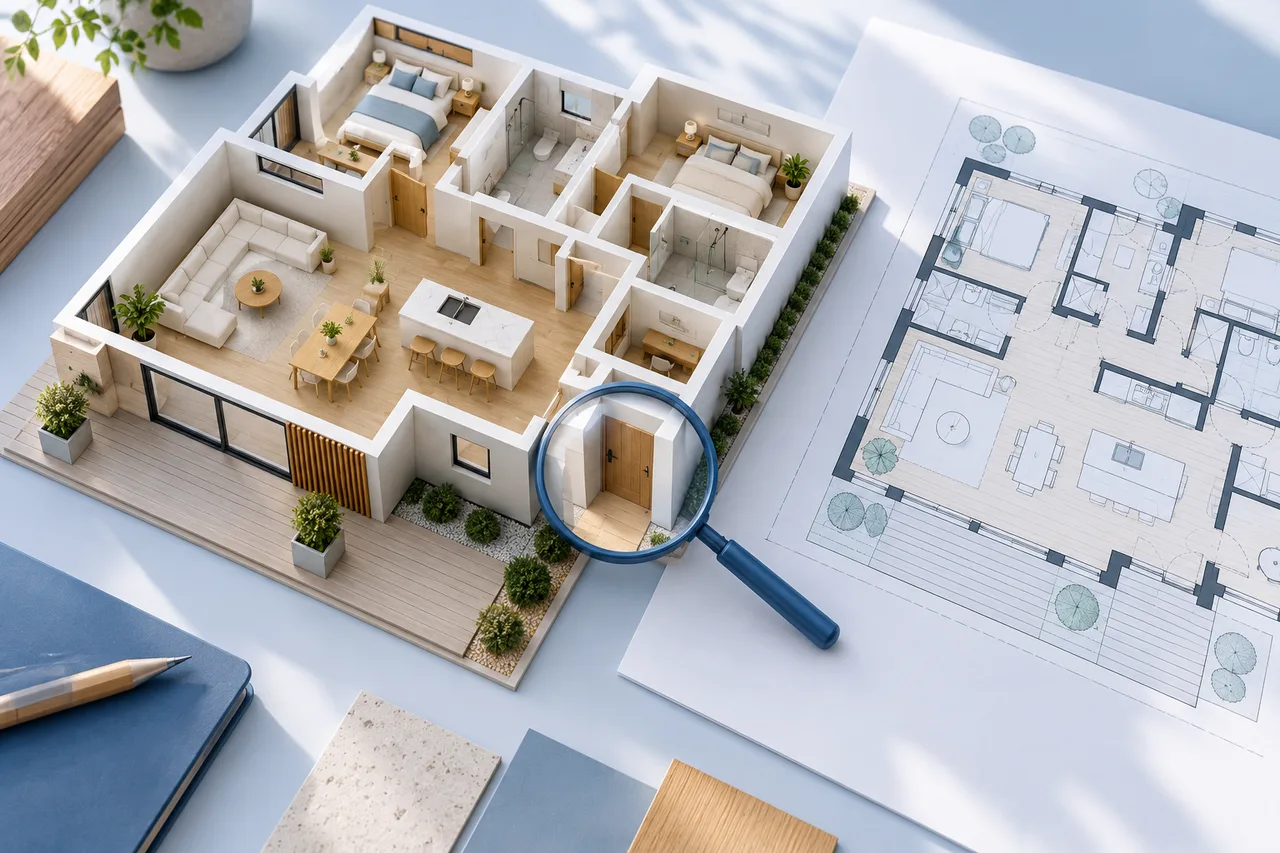
A generated wall model should be reviewed against its source before it is shared or used to compare design ideas. The shaded 3D view is useful, but the 2D overlay often makes extraction mistakes easier to identify.
Review one category at a time. A repeatable sequence helps you avoid overlooking a missing partition while concentrating on an attractive overall view.
Check the outside boundary first
Compare the main footprint with the source drawing. Look for missing corners, cropped exterior walls, and unwanted extensions into title blocks or dimension lines. Check narrow recesses that may have been simplified or joined.
The viewer's broad floor slab is a viewing aid and may follow the image bounds rather than the exact building perimeter. Judge the wall geometry itself when reviewing the outline.
Follow the internal partitions
Trace the main internal walls room by room. Ask whether each visible wall in the source has a corresponding shape and whether each modelled shape has a defensible source.
An empty area in the model may indicate a faint missed partition. An extra enclosure may come from a sofa, table, or annotation. Inspect the original at a useful zoom before deciding which explanation applies.
Inspect openings and junctions carefully
The current converter does not automatically reconstruct doors and windows as architectural objects. Do not assume a familiar-looking gap means the opening has been correctly measured or classified.
At junctions, look for overlapping wall pieces, tiny disconnected fragments, and gaps where a connection should exist. These issues become particularly important if you plan to edit or print the exported mesh.
Verify scale and height independently
Use a reliable measurement to establish horizontal scale. Check that image margins have not been mistaken for part of the building's real width. Keep the reference and its endpoints recorded with the project.
Set wall height from a measured or explicitly assumed value. The image does not necessarily contain enough information to determine ceiling height. Changing the height cannot correct an incorrect horizontal span.
Inspect from above and at an angle
The top view helps compare the footprint with the drawing. An oblique view helps reveal extrusion height and unexpected vertical objects. Rotate around the model rather than judging it from one camera position.
If a graphics error prevents viewing, use the compatibility mode or consult the viewer help guide. Distinguish a display problem from missing source geometry before uploading again.
Record unresolved issues before export
Keep a short list of discrepancies with the source revision, scale reference, and chosen height. Save the geometry JSON as a record of the extraction, then choose GLB, OBJ, or STL according to the next task.
A reviewed preview can support discussion about room relationships. It does not verify structural safety, construction suitability, or permission for proposed changes. Read the export format comparison when you are ready to hand over the result.