3D Modeling vs Rendering: Why a Pretty Image Is Not a Model
A beautiful picture of a room and an editable model of its walls answer different questions. Rendering creates an image from a scene; modelling creates or…
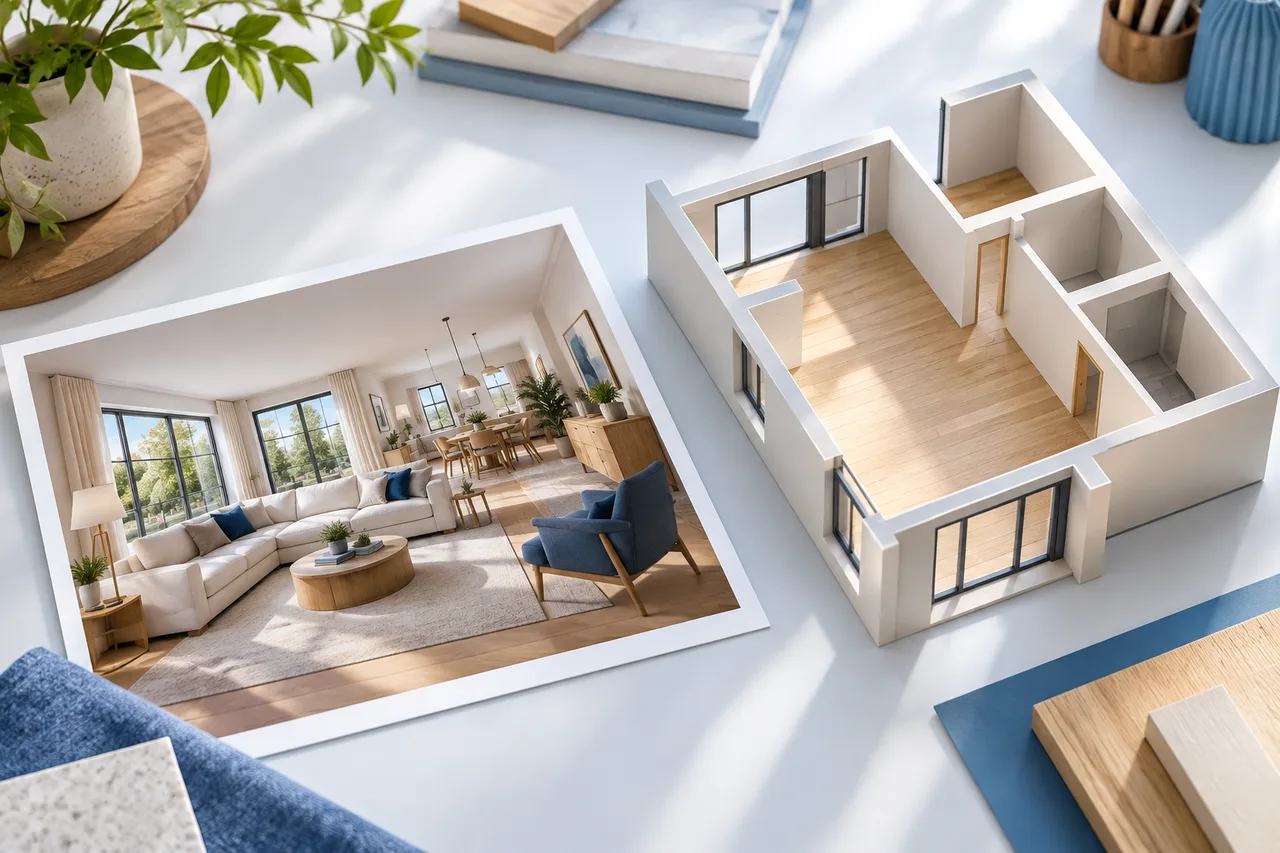
A beautiful picture of a room and an editable model of its walls answer different questions. Rendering creates an image from a scene; modelling creates or changes the geometry in that scene. A floor-plan workflow can involve both, but one does not guarantee the other.
Understanding this difference helps you judge what a tool actually produces and what work remains before a result is useful for your project.
What a model contains
A geometric model describes shapes and their positions. In the current 3D House Maker converter, those shapes are wall meshes extruded from detected plan polygons. Horizontal scale and wall height determine their size.
The result does not automatically contain classified doors, windows, structural properties, or a complete furnished interior. Extra visual detail would need to be added in a separate modelling workflow or a future tool that explicitly supports it.
What a rendering shows
A rendering is a view of a scene with a particular camera, lighting, and appearance. It can help explain an idea, but a single image may hide missing geometry or imply materials that were never specified.
A conceptual editorial illustration is another category: it is created to explain a topic and is not evidence that a particular uploaded plan produced that result. Our article illustrations should be read in that way, even when they look like realistic architectural miniatures.
Why a polished view can be misleading
Strong lighting, furniture, and finishes can make a scene feel complete. That impression does not verify the room dimensions, the thickness of a wall, or the feasibility of a proposed change.
For example, a sofa placed in a presentation image may look comfortable while its actual measured footprint would obstruct a door. Test the geometry with real dimensions before judging the arrangement by appearance alone.
Review geometry before improving presentation
Compare the wall model with the source plan from above. Confirm the main outline, room connections, and scale reference. Then inspect wall height and junctions from an oblique angle.
Keep a list of assumptions. If you choose a default wall height or add a window without a verified dimension, record that choice. Presentation work should not erase the distinction between measured and invented details.
Choose an output for the next conversation
Use a 2D plan when dimensions and arrangement are the main subject. Use an interactive wall model when people need to understand spatial relationships. Use a rendering when the discussion concerns a visual concept, while keeping the supporting measurements available.
The converter can export GLB, OBJ, STL, and geometry JSON for different next steps. None of those file formats makes an unreviewed extraction accurate by itself.
Begin with the wall review checklist, then compare 3D export formats when you are ready to move the model into another workflow.