2D vs 3D Floor Plans: What Each View Is Good For
A 2D floor plan and a 3D preview answer different questions about the same space. The flat view makes boundaries, dimensions, and relative positions easier…
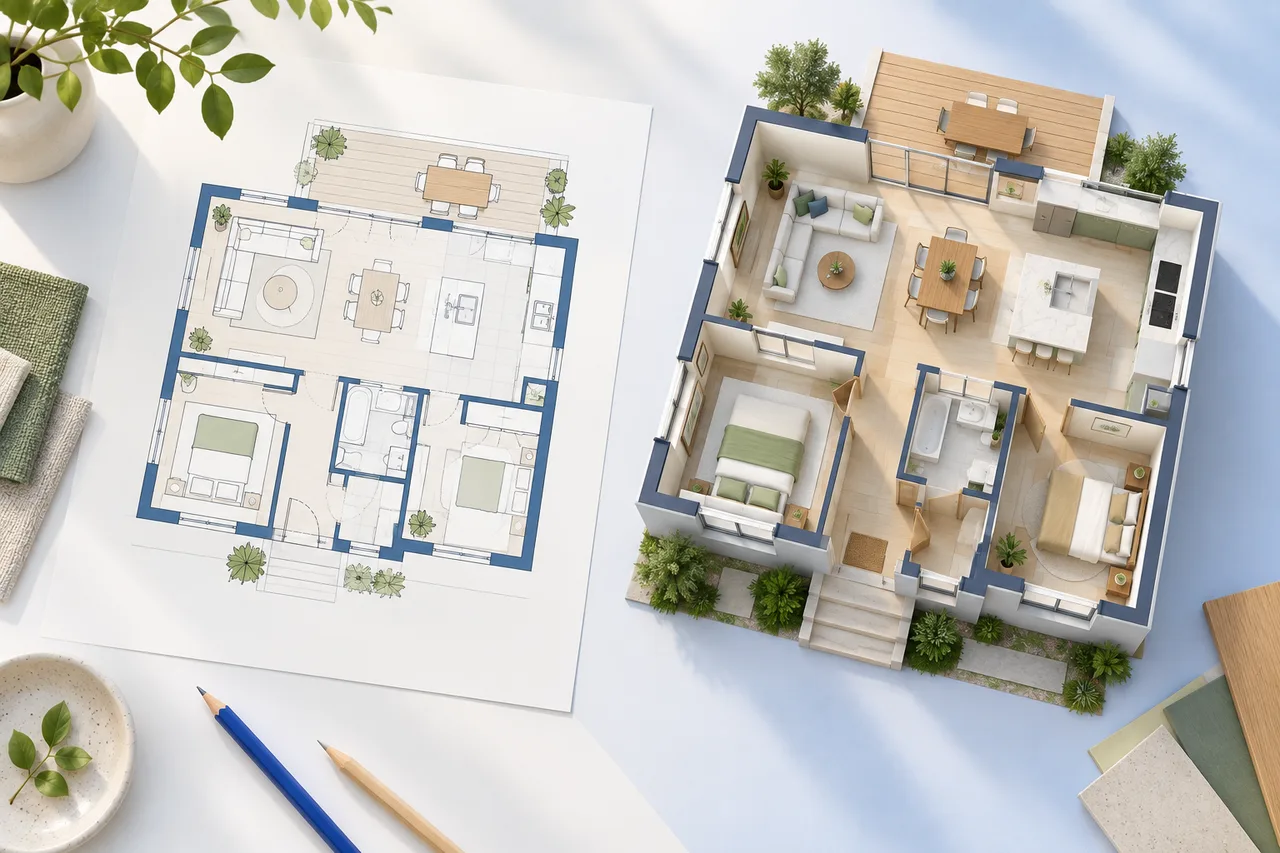
A 2D floor plan and a 3D preview answer different questions about the same space. The flat view makes boundaries, dimensions, and relative positions easier to compare. A three-dimensional view helps you perceive enclosure and the relationship between wall height and footprint.
Neither view is automatically more accurate. Accuracy comes from the source information, the modelling decisions, and the checks applied to the result.
Use 2D for measured relationships
A plan view is useful when you need to compare the width of a room, locate an opening, or examine furniture footprints. It avoids the visual shortening caused by an angled camera. Dimension annotations are generally easier to read in a flat drawing.
For example, two sofas may appear similar in an angled illustration even though one occupies more floor space. A measured 2D footprint makes that difference clear. The room layout planner uses editable rectangular footprints for this kind of comparison.
Use 3D for spatial interpretation
An angled wall preview can reveal how a corridor sits between rooms or how an internal partition divides a larger area. Rotating the model provides views that may be harder to imagine from the drawing alone.
However, a model's appearance depends on camera position and height assumptions. A nearby wall can hide another feature. Changing the view can make a room feel larger or smaller without changing its geometry. Keep the 2D reference available when discussing those impressions.
Distinguish a model from a rendering
A 3D model contains geometry that can be inspected from different angles. A rendered image is a picture created from a scene or generated by another process. A convincing picture does not necessarily contain an editable, dimensionally consistent model behind it.
The current converter creates an interactive wall preview from detected polygons. The editorial images in the journal are conceptual illustrations. They are not presented as actual conversions of the sample plan or proof that the converter reconstructs furnished interiors.
Compare the views in a deliberate order
First, check the original drawing's boundary and units. Next, compare the detected wall footprint in 2D. Then inspect the 3D view using a verified scale and a stated height. This order prevents an attractive 3D appearance from distracting you from a missing wall or an incorrect footprint.
If the 3D result disagrees with the source, return to the source and the detection overlay. Do not decide which is correct solely by which one looks more polished.
Choose the right deliverable
Use a 2D SVG or PNG for a clear layout discussion. Keep an editable drawing project when revisions are likely. Use GLB or OBJ wall exports when another modelling application needs the geometry, and check its units after import.
Share both views when they help answer different questions. Include the original measurements and assumptions so the recipient understands what has been verified. The floor-plan-to-3D guide walks through that review process.