Blender and 3ds Max House Plans: A Clean Modeling and Rendering Workflow
Build a house-plan workflow in Blender or 3ds Max with checked units, clean walls, organized floors, useful cameras and verified model exports.
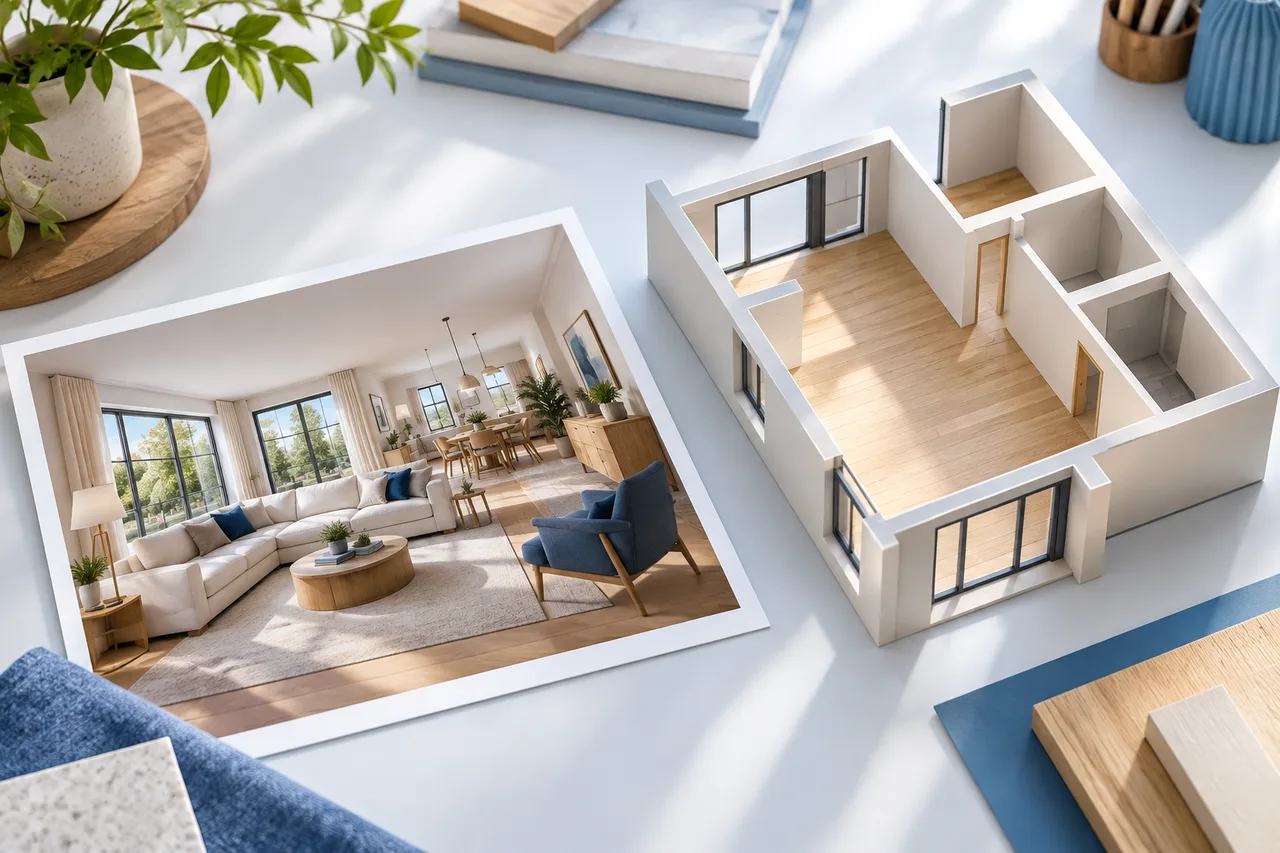
Blender and 3ds Max can be part of a house-plan workflow when you need control over geometry, materials and cameras. That control comes with responsibility: the application cannot infer whether a wall is correctly measured or whether an imported floor plan represents existing conditions. A beautiful scene can still contain a room that is ten times the intended size.
The most dependable approach separates reference preparation, geometry, appearance and delivery. Each stage has a check that should pass before the next one receives much attention. This guide describes that process without assuming a particular software edition, renderer or plug-in. It is useful for evaluating a Blender house plan or a 3ds Max house plan even when another person created the original scene.
Define the deliverable first
A client might ask for a floor plan while expecting a furnished image, an editable model or a dimensioned drawing. Clarify that request. A render is a picture from one camera; a model is spatial geometry; a drawing communicates selected information with an intended reading scale. They are related outputs, not interchangeable files.
For an early design review, simple walls and furniture blocks may be sufficient. For a listing image, the scene needs a clear presentation and truthful labeling of staged furnishings. For construction, a general modeling scene alone does not establish the required documentation or technical coordination. Decide what the recipient needs to do with the file before choosing the modeling detail.
Preserve the source and its uncertainties
Keep a copy of the drawing, measurements or exported geometry that starts the project. Record units, source date, floor names and any known discrepancies. If the only source is an estate-agent image, describe it as that rather than allowing the finished scene to imply a measured survey.
Make separate lists of verified information and design assumptions. A room width may be verified while its ceiling height remains an estimate. A proposed opening might be correctly positioned in the model but still await structural advice. These distinctions should travel with the scene, especially when an artist and a building designer are working on different parts of the project.
Set a unit convention before importing
The Blender manual's scene properties documentation explains its unit system and unit-scale display settings. Autodesk's 3ds Max units documentation distinguishes display units from internal system units. Changing how a dimension is displayed is not the same operation as resizing geometry.
Write a convention such as “project dimensions are checked in meters” and use a known reference object. Before importing a large scene, bring in a small test and measure it. Follow the application documentation when a system-unit change is necessary; do not casually alter the convention halfway through a populated project.
Use a numerical import check
Imagine a source house footprint that should measure 8 m by 6 m. Its gross rectangular area is 48 m². If the imported width reads 8,000 m, millimeter values may have been interpreted as meters. The discrepancy is a factor of 1,000, not an artistic judgment about how large the building feels.
Check another dimension after correcting the import. If the width becomes 8 m but the depth is 5.7 m rather than 6 m, a single uniform scale change has not explained the mismatch. Investigate the source and the endpoints. Do not continue furnishing a scene until the dimensions are internally consistent or the remaining uncertainty is explicitly accepted.
Put the working geometry near a sensible origin
Choose a reference corner and place the main building geometry where it is easy to navigate and measure. Do not scatter separate floors around the scene without a recorded relationship. Keep an existing coordinate reference documented if it matters to another application, rather than moving a surveyed source without explanation.
For ordinary concept modeling, an understandable local origin can simplify editing. Place a named marker at the chosen corner and use consistent axes. If the project later needs real-world coordination, agree on the transformation with the person managing that information. A convenient scene origin and a surveyed location serve different purposes.
Choose between tracing and imported geometry
Tracing an image gives you control over which lines become walls, but it requires careful interpretation. Imported mesh geometry can save time while bringing its own issues: unnecessary subdivisions, disconnected pieces, unclear names or duplicated surfaces. Inspect the input before deciding whether to rebuild part of it.
If your reference is a clean image, the floor plan to 3D converter can supply a wall-region starting model. Its output should be reviewed as extracted geometry, not treated as a complete furnished architectural scene. If you prefer a manual image-tracing workflow, the SketchUp tracing guide describes the same scale questions in a different modeling environment.
Build the shell in manageable parts
Begin with the main envelope, major partitions and floor surfaces. Keep the shell visually simple. Use logical object names that identify level and purpose, such as entry-level external walls or upper-level partitions. Avoid a single collection of anonymous objects that nobody can confidently revise.
For the 8 × 6 m example, a provisional wall height of 2.8 m is an independent modeling assumption. It should not change the plan's horizontal scale. Record which wall thicknesses are known and which are placeholders. A scene with consistent assumptions is easier to review than one in which every wall was adjusted until it looked plausible from one camera.
Inspect surfaces before applying materials
View the model from inside and outside. Look for holes, overlapping faces, reversed-facing surfaces and walls that accidentally stop short. A shaded preview may conceal some of these problems, so inspect the geometry in a plain view before adding texture. If a destination application displays a wall differently, compare the underlying surfaces rather than immediately changing lighting.
Mesh walls are not automatically building-information objects. An imported wall may have no meaningful connection to a door, room name or construction specification. Likewise, a closed-looking model is not necessarily suitable for 3D printing. Verify the property needed for the intended output instead of assuming that visual completeness proves it.
Keep doors, windows and stairs understandable
Opening width, wall position, sill height and head height should come from the reference or be labeled assumptions. A floor plan often supplies only part of that information. Avoid borrowing arbitrary heights from a decorative asset and then presenting them as measured conditions.
For multiple floors, inspect the alignment of openings and circulation separately from the rendered appearance. A stair object placed between levels does not prove safe headroom, a feasible structure or compliance with local requirements. Keep the scene useful for discussion by showing the intended connection while recording the questions that require qualified design review.
Add furniture at checked dimensions
Imported furniture can be larger, smaller or more detailed than expected. Check one known dimension immediately. A 2 m sofa should not arrive as a 20 m object, and shrinking it by eye may leave inconsistent proportions. Prefer simple furniture blocks for the first circulation review.
Separate fixed building elements from movable furnishing. That makes it easier to compare a layout option without accidentally altering the shell. For a proposed interior, identify which pieces are existing, proposed or illustrative. If the scene is intended for marketing, avoid suggesting that every shown fitting is included in the property unless that has been confirmed.
Make materials serve the decision
Start with a small material palette and meaningful names. A wall finish should help distinguish surfaces, not hide a geometry error. Check texture scale against a real reference: oversized floorboards or tiny tiles can distort the viewer's sense of room size even when the walls are correctly measured.
Keep source files and rights information for external textures and assets. An asset that is available to download is not automatically licensed for every commercial use or redistribution. If you will hand over an editable scene, confirm whether the recipient may receive the asset files or needs to obtain a separate license.
Choose cameras that explain the layout
Use an overhead or other parallel view to communicate arrangement, and perspective views to communicate enclosure and height. A highly wide-angle camera can exaggerate the space between furniture. A cropped image can hide a poor route or an unresolved room. Select views that answer the review brief honestly.
Keep one consistent camera when comparing options. If option A uses a low wide view and option B uses a narrow overhead view, reviewers may respond to the photography rather than the layout. For a rendering brief and deliverable checklist, use the real-estate floor plan rendering guide.
Render only after a geometry review
Before committing to final images, review the shell in plain shading and compare the key dimensions with the source. Confirm that the intended objects are visible and that temporary reference planes will not appear accidentally. Check one small preview for material and camera problems.
A realistic lighting setup does not validate daylight, energy performance or structural behavior. Treat the final image as communication about the modeled proposal. If a specialist analysis is needed, the relevant inputs, methods and qualified interpretation must be established separately. Avoid making performance claims simply because a sunny image looks convincing.
Test exports in the receiving application
Blender's official import and export manual documents multiple exchange formats, while individual format support and behavior should be checked for the version you use. Do not assume that a format preserves every material, hierarchy, modifier or camera exactly as it appears in the native scene.
Export a representative subset first: a wall corner, one opening and a reference object. Open it in the actual destination and verify scale, orientation, visible surfaces and necessary materials. The site's image to DXF workflow addresses a different deliverable, a drawing exchange route; it should not be confused with a complete textured scene transfer.
Deliver an editable source and a clear record
Where your agreement includes the native scene, package it with the necessary permitted assets and a short readme. State application version, units, main dimensions, floor references, output settings and unresolved assumptions. Save a clean pre-delivery copy so later revisions do not overwrite the approved state.
A well-organized Blender or 3ds Max house model earns trust through checks that another person can repeat. When the file opens, its size should make sense. When a wall changes, its purpose should be understandable. When an image is shared, its relationship to the measured or proposed plan should be clear. Those qualities matter more than adding another layer of decorative detail.