Present a Property Floor Plan Clearly Without Overstating Accuracy
A clear property floor plan helps a viewer understand room relationships before discussing finishes or furniture. The strongest presentation is easy to read…
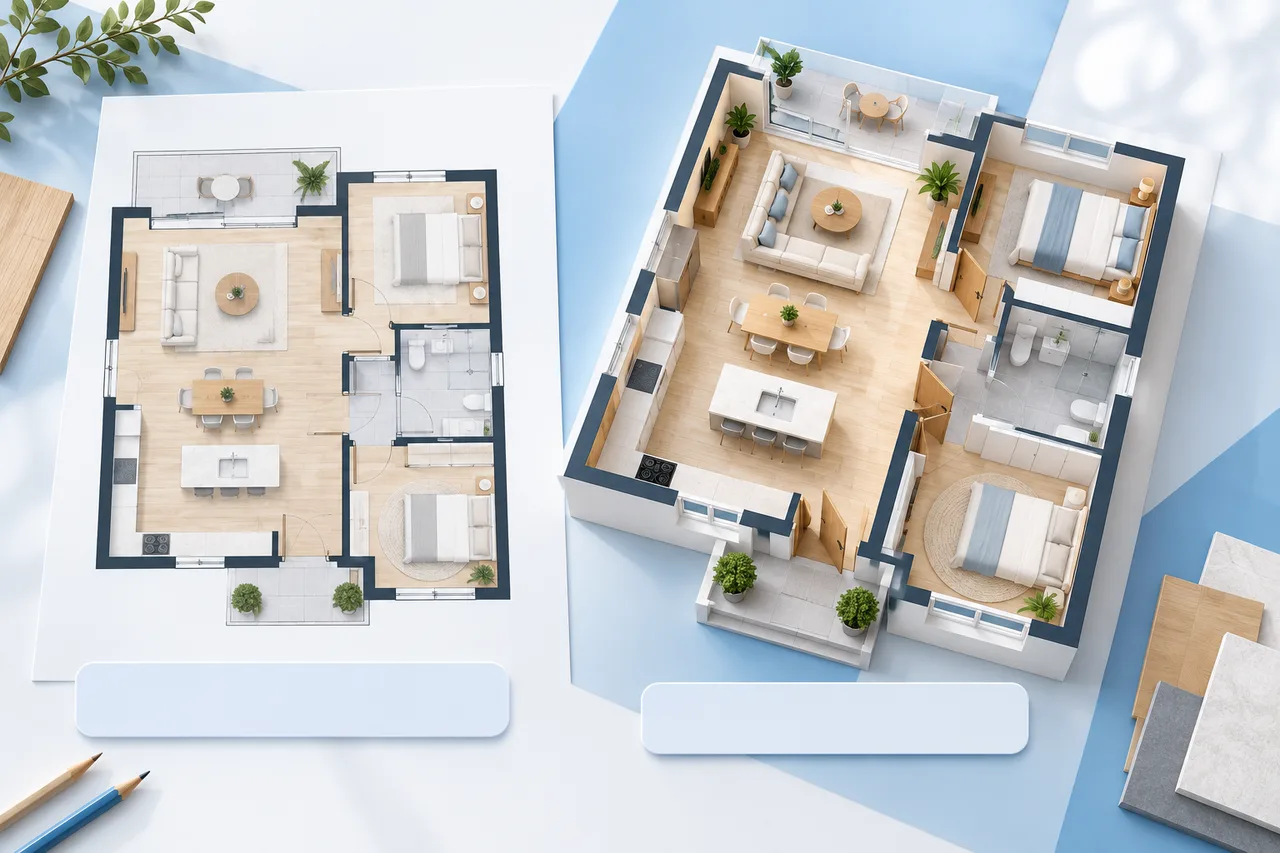
A clear property floor plan helps a viewer understand room relationships before discussing finishes or furniture. The strongest presentation is easy to read and honest about its measurements, revision, and level of detail.
A manually drawn concept, an extracted wall preview, and a professionally measured plan should not be presented as if they have the same evidential basis. Label the source and purpose of the material you share.
Choose a readable level of detail
Show the outside boundary, main partitions, room labels, and essential dimensions clearly. Remove decorative clutter that competes with the layout. If furniture is included, use it to explain scale and possible use rather than to hide awkward spaces.
Keep an uncluttered version available. A viewer may need to understand an unusual corner or connection that is difficult to see beneath a large furniture symbol.
Make measurement assumptions visible
State whether the plan is measured, approximate, or unscaled. Identify the measurement reference when presenting a converted model. Do not infer room area from a picture whose scale you cannot establish.
If you report an area, describe what boundary it represents. Interior room area, an outside footprint, and other reporting conventions can differ. A simple room calculator does not select the appropriate property measurement convention for you.
Keep 2D and 3D views consistent
Use the same source revision for the plan and wall preview. Compare them before export so a moved partition or missed opening does not appear differently in two illustrations of the same space.
An extracted 3D view needs particular care around furniture outlines, labels, and faint walls. Review those features against the original drawing rather than treating the preview as a finished reconstruction.
Separate current conditions from proposals
If a layout shows a proposed change, label it as a proposal. Keep the existing arrangement available for comparison. A viewer should not have to guess whether a wall is already present or only suggested.
Similarly, distinguish conceptual furnishings and finishes from included items or verified specifications. Our generated article illustrations are examples of visual explanation, not verified views of a listed property.
Export a useful viewing package
SVG is useful for a crisp drawing that can be resized, while PNG is convenient for straightforward image sharing. Keep the editable project JSON alongside either export so later corrections do not require rebuilding the plan.
For a 3D handover, include the model, a source reference, and notes about scale and unresolved issues. Inspect the files in the receiving application when possible, especially if the viewing environment differs from your own.
Review the final version as a reader
Check text size, cropped edges, matching revisions, and whether the stated dimensions agree with the drawing. Remove private names or notes that do not belong in a public presentation.
Use the blueprint maker for a clean concept drawing or the floor plan creator to prepare an editable baseline. Keep professional measurement and project advice separate from the role of these preview tools.