Blueprint vs Floor Plan: The Difference Explained
A floor plan describes the arrangement of a building or room as viewed from above. Blueprint originally described a copying process and is now often used…
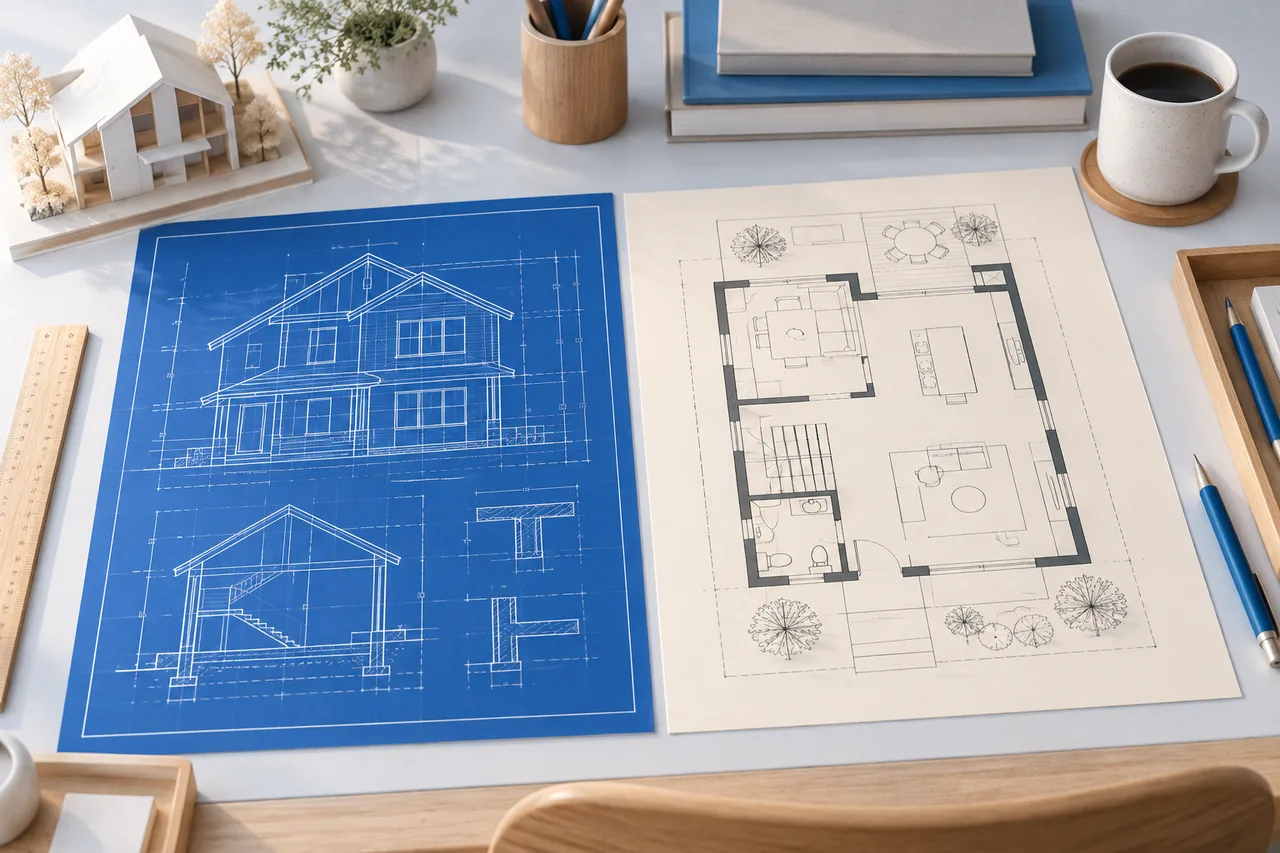
A floor plan describes the arrangement of a building or room as viewed from above. Blueprint originally described a copying process and is now often used informally for technical drawings. The words overlap in everyday conversation, but they do not mean that every blue-looking plan contains construction-ready information.
When requesting a drawing, specify the information you need rather than relying only on its label.
What a floor plan explains
A floor plan can show room boundaries, openings, dimensions, furniture, and other features at a horizontal level. Its level of detail depends on its purpose. A property presentation plan may emphasize room names and circulation, while a technical plan may contain more annotations.
A simple concept plan can be useful without including every construction detail. It should still make its units and assumptions clear so a reader understands what the geometry represents.
What people may mean by a blueprint
Someone asking for a blueprint may mean a complete drawing set, a measured floor plan, or simply a blue-background diagram. Ask which outputs and details are required. A colour treatment does not establish scale, completeness, or professional review.
The blueprint maker creates an editable concept plan with light linework on blue. It shares its drawing objects with the floor plan creator. It does not produce structural calculations, permit documentation, or a complete architectural package.
Match the deliverable to the decision
For an early furniture discussion, a measured 2D plan may be enough to compare positions. For a building alteration, the relevant professionals may need sections, elevations, specifications, and other information beyond the floor layout.
For example, a gap in a plan might indicate a doorway, but it does not explain the support above that opening. Treating the gap as a complete construction instruction would leave important information unresolved.
Check scale and print behaviour
An exported image can be resized when placed in a document or printed. A labelled wall length remains useful, but measuring the print with a ruler requires a controlled print scale. Do not assume that a blue sheet has retained its intended scale after “fit to page” printing.
Keep the editable project and known measurements alongside any presentation export. If another person needs a particular print scale or file format, confirm that requirement before preparing the final sheet.
Choose appearance after content
A blue background can make a concept drawing visually distinctive. A white background may be easier to print or annotate. Select the treatment that helps the recipient read the plan, while keeping the underlying geometry and labels consistent.
The floor plan creator provides the white-background drawing workflow. Use either presentation style to communicate a clearly defined concept, and avoid describing it as a complete building design unless the necessary supporting work has actually been done.