Design a House Floor Plan Online: From Measured Rooms to 3D
Design a house floor plan online with a measured brief, an 8 × 10 m worked example, sensible room layouts, scale checks and useful 3D model reviews.
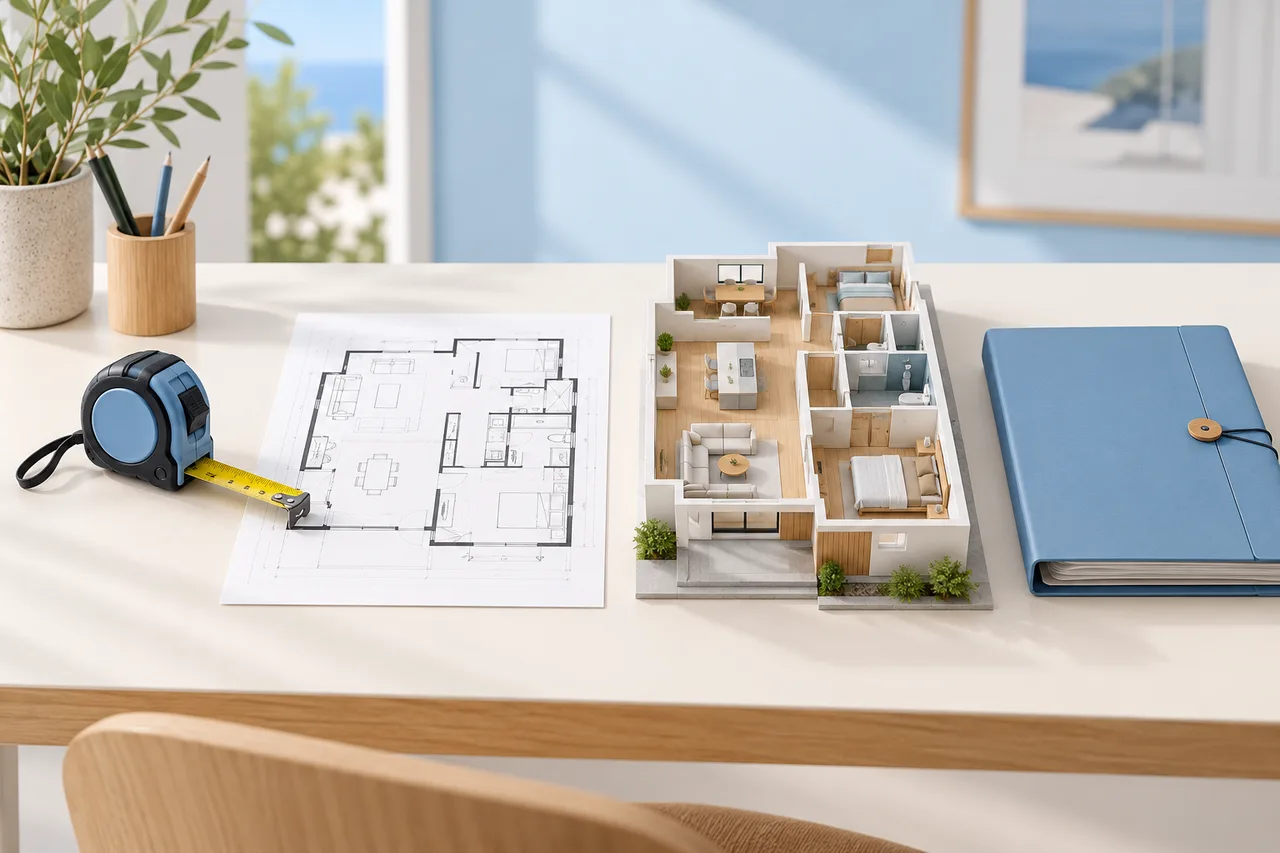
A useful house plan starts with a question about daily life: what must this home let people do comfortably? The answer might be eating together without blocking the kitchen, working quietly while someone watches television, or getting from a bedroom to the bathroom at night. Drawing those relationships matters more than choosing a beautiful floor material.
You can design a home layout online in 3D, but the model becomes dependable only when its underlying plan has sensible dimensions. This guide takes a simple household brief through measurement, room allocation, furniture checks and a final model review. The numerical example is an invented concept for learning, not a construction design or a statement about local building rules.
Decide what you need to produce
Three deliverables often get called a house plan. A two-dimensional floor plan explains the arrangement from above. A three-dimensional model contains spatial geometry that can be inspected from different angles. A rendered image is a particular view of a scene, with a camera and an appearance chosen to communicate an idea.
A virtual house floor plan may mean any of these. Before choosing a floor plan website, write down the output you actually need. Rearranging a living room may require a dimensioned 2D drawing and simple furniture blocks. Understanding wall heights benefits from a model. Advertising an interior calls for images with carefully disclosed staging. None of these automatically supplies the documentation needed to build.
Write a brief before drawing walls
For our example, imagine two adults who share an occasional home office and want a spare bedroom. Their proposed outer rectangle is 8 m by 10 m, giving an 80 m² gross footprint. That number includes walls; it is not 80 m² of clear room space. The household values a quiet sleeping area, a kitchen connected to dining, and storage close to the entrance.
Their first brief separates requirements from preferences. Two bedrooms and one bathroom are requirements. A freestanding bath is a preference that may lose out to storage. A garden-facing living room depends on the real site orientation and available openings. Keeping those distinctions visible makes later compromises deliberate rather than accidental.
Establish a reliable reference
For an existing home, record room lengths, wall thicknesses where known, door positions, window positions and changes in floor level. Add the source of each number: measured on site, read from an existing drawing, or estimated. A measurement list with uncertainty is more useful than a detailed-looking drawing that disguises guesses as facts.
Choose one reference corner and measure positions consistently from it. If a door begins 1.2 m along a wall, note which end you measured from and whether the distance reaches the frame or the clear opening. Check the total length of a wall against the sum of its smaller segments. Investigate discrepancies before adjusting the drawing to make it look tidy.
Allocate the 80 m² honestly
Here is an initial area schedule for the concept: living and dining 22 m², kitchen 9 m², main bedroom 12 m², second bedroom 10 m², bathroom 5 m², utility and storage 4 m², and entry and circulation 8 m². Those clear-space allowances total 70 m². The remaining 10 m² is a provisional allowance for walls and other unresolved space.
This arithmetic does not prove that the rooms fit within the rectangle. Shape, wall layout and access still matter. It does reveal an impossible brief early: adding a separate 12 m² office without reducing anything would take the allocation past the gross footprint. An online house plan maker cannot solve that contradiction simply by switching the view to 3D.
Draw the outer envelope first
Start with the exterior outline and major fixed constraints. In a renovation, these might include the stair, structural walls, service risers and openings that are not being changed. In a new concept, the building envelope itself depends on the surveyed site and planning requirements. Show uncertain boundaries as assumptions, not established dimensions.
The floor plan creator is useful for exploring a concept through manually drawn rooms and walls. Work at a scale that lets you enter meaningful dimensions. Keep room names short and consistent. Save a first version before adding partitions, so you can return to a clean envelope when the initial arrangement becomes too crowded.
Arrange relationships, then refine shapes
Place the quiet rooms together and consider what sits between them and the busiest space. A bathroom or storage zone can sometimes provide separation, but its position must also make sense for access and services. Draw the route from the entrance to the living area without forcing visitors through a bedroom.
For the 8 × 10 m example, compare two arrangements. Option A puts living and dining along one wide end, with bedrooms behind a short connecting hall. Option B runs circulation down one side. Neither is automatically better. The useful comparison is how much floor area each route consumes, how doors intersect, and which rooms retain suitable external walls for openings.
Use real furniture dimensions
Furniture turns an abstract room into a testable space. Suppose the concept living area is 4.4 m by 5 m. A 2.1 m sofa, a 1.4 m dining table and two desks may all fit as rectangles, yet the room can still fail when chairs are pulled out or someone opens a cabinet. Model the actual furniture you intend to keep.
In the room layout planner, try everyday actions rather than decorative arrangements alone. Trace the path carrying groceries to the kitchen. Pull a chair away from the table. Open the wardrobe beside the bed. Treat any clearance figures you choose as design assumptions to check against the household's needs and applicable accessibility requirements.
Move from the plan to a 3D model
Once the main geometry is credible, create a 3D plan of the house to inspect proportions and enclosure. A model can reveal a passage that feels pinched or a partition that blocks an important sightline. Keep the early appearance simple so color and lighting do not hide the arrangement. Review the model from eye-level positions as well as from above.
If you already have a clear image or PDF, the floor plan to 3D converter offers a different starting point: extracting wall regions into a preview. It does not automatically furnish the home, assemble a multi-storey building or create approved architectural documents. A house plan with a 3D model still needs human interpretation and dimensional checks.
Keep plan scale and wall height separate
A floor drawing describes horizontal distances; wall height is another input. Do not increase the plan span to make walls appear taller, because that changes the room sizes. In image-based conversion, the span on this site refers to the image's longest edge, including its margins. A building that occupies only part of that image needs a corresponding adjustment.
For example, a 10 m building occupying 80% of the image's longest edge implies an image span of 12.5 m: 10 divided by 0.8. Entering 10 m would shrink that building in the model. The floor plan scale calculator can help you reason through known distances before committing to a conversion.
Review the interior without overclaiming
An interior design plan in 3D should distinguish fixed geometry from proposed furnishing. Label existing openings, proposed openings and uncertain positions clearly. If a large window is added only to make a rendering attractive, the image is no longer a faithful representation of the current home. Save that proposal as a separate revision.
Check daylight opportunities and privacy qualitatively, but do not read a bright rendered room as a lighting calculation. Similarly, showing a sink beside a wall does not establish a feasible drainage route. Use the model to form questions for the relevant designer or installer. It is particularly valuable when it makes unresolved decisions visible instead of presenting every surface as finished.
Compare revisions with a short scorecard
Give each option the same review questions: Does the entrance have a practical storage location? Can someone work without occupying the only dining table? Does access to the bathroom interrupt a private bedroom? Are furniture dimensions real? Is any room dependent on a window that has not been confirmed?
Record observations in ordinary language. For example, “Option B makes the hall longer but gives the second bedroom a more usable wall” is more informative than a mysterious score of eight out of ten. Do not add scores for safety or structural feasibility unless a qualified assessment supports them. A layout decision log should explain tradeoffs, not manufacture certainty.
Save an editable project and a review package
Creating 3D house plans usually involves several versions. Give files names that communicate their purpose, such as envelope, layout A, furniture review and revised concept. Keep an editable project where the chosen tool supports it, plus images that your reviewers can open without specialist software. A screenshot alone is difficult to revise later.
Include the measurement source, units, date, open questions and a simple legend in the review package. If someone receives only a polished image, they may assume that unknown dimensions were checked. A small note saying “concept geometry; kitchen services unverified” prevents that misunderstanding and makes the next discussion more productive.
Common problems worth fixing early
A total area can be right while individual rooms are awkward. A model can appear spacious because its camera uses an unusually wide view. A furniture item can look small because its imported scale is wrong. Return to dimensions whenever the image and the practical requirements disagree.
Another frequent problem is designing for an idealized household. Include the things that occupy the real home: laundry drying, a vacuum, bags, work equipment, mobility aids or a pet bed. Place them deliberately. An extra empty corner in a rendering is not equivalent to storage that can actually be reached.
A final decision checklist
Before sharing the concept, confirm five things. The brief names the household's essential activities. The area schedule distinguishes gross footprint from clear room allowances. At least two known measurements have been checked. Furniture and door movements have been reviewed. Every unresolved construction question is recorded for later advice.
You now have a useful basis for an online 3D house design: a plan that can be explained, tested and changed. If your next step is converting a drawing rather than laying out rooms manually, follow the 2D to 3D preparation guide and keep the same habit of checking geometry before choosing finishes.