Open-Plan Layouts: Define Zones and Keep Routes Clear
An open-plan layout combines activities within a larger connected space. The absence of partitions does not remove the need for boundaries: routes,…
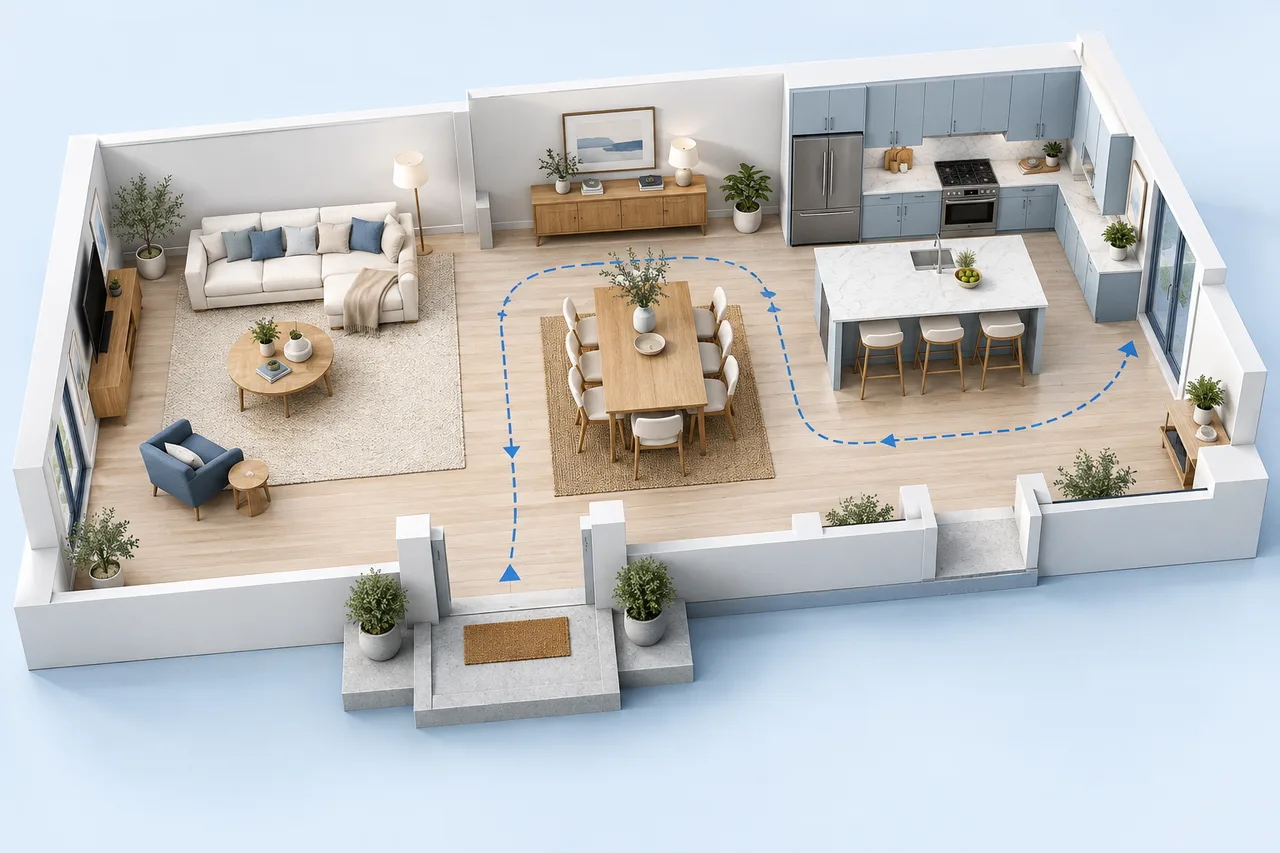
An open-plan layout combines activities within a larger connected space. The absence of partitions does not remove the need for boundaries: routes, furniture positions, storage, and the way activities interact still organize the room.
Begin with the existing measured space. Moving furniture within it is a different decision from removing a wall to create it. A planning model cannot identify whether a wall is structural or whether an alteration is feasible.
Identify the fixed zones
Mark the kitchen, doors, windows, stairs, and other fixed features. These constrain where circulation and flexible furniture can go. Keep operating space around appliances and storage in your notes, using the actual equipment information where relevant.
A top-down drawing shows positions, but it does not model noise, odours, changing light, or the full experience of activities sharing one room. Include those factors in the comparison outside the geometry.
Draw the route before filling the space
Trace movement between the entrance, seating, dining, kitchen, and any onward exit. Try to avoid routes that depend on moving chairs or walking through a workstation whenever someone passes.
The route can bend and serve several areas, but it should remain understandable. A large empty-looking centre may be useful circulation rather than wasted space.
Use furniture to define activity areas
A sofa orientation can distinguish a seating area, while a table establishes a dining zone. Storage can support the transition between them. Evaluate each piece both as an object and as a boundary that affects movement and views.
Use actual dimensions in the room layout planner. A slim-looking symbol can conceal a deep sofa or projecting storage front. Keep furniture sizes constant when comparing layouts.
Review the overlaps between activities
Consider what happens when several activities occur at once. A dining chair in use may occupy the main route. A television position may compete with a work area. A storage door may open into seating.
The planner's rectangle checks can reveal direct object collisions, but they do not evaluate these behavioural conflicts. Save notes with each option so the choice is based on everyday use as well as the drawing.
Keep building changes separate
If the idea involves changing partitions or services, use the plan to communicate the proposal and the questions it raises. Do not infer structural safety from an automatically generated wall model or a clean blueprint-style image.
For a furniture-only comparison, preserve the measured baseline and save each alternative separately. Review routes, fixed features, and simultaneous activities before deciding which arrangement to test in the real space.