JPG or PNG for Floor Plans? Choosing the Better Source
For a clean digital line drawing, PNG is usually a useful export choice because it preserves hard edges without JPEG's lossy compression. JPG can still work…
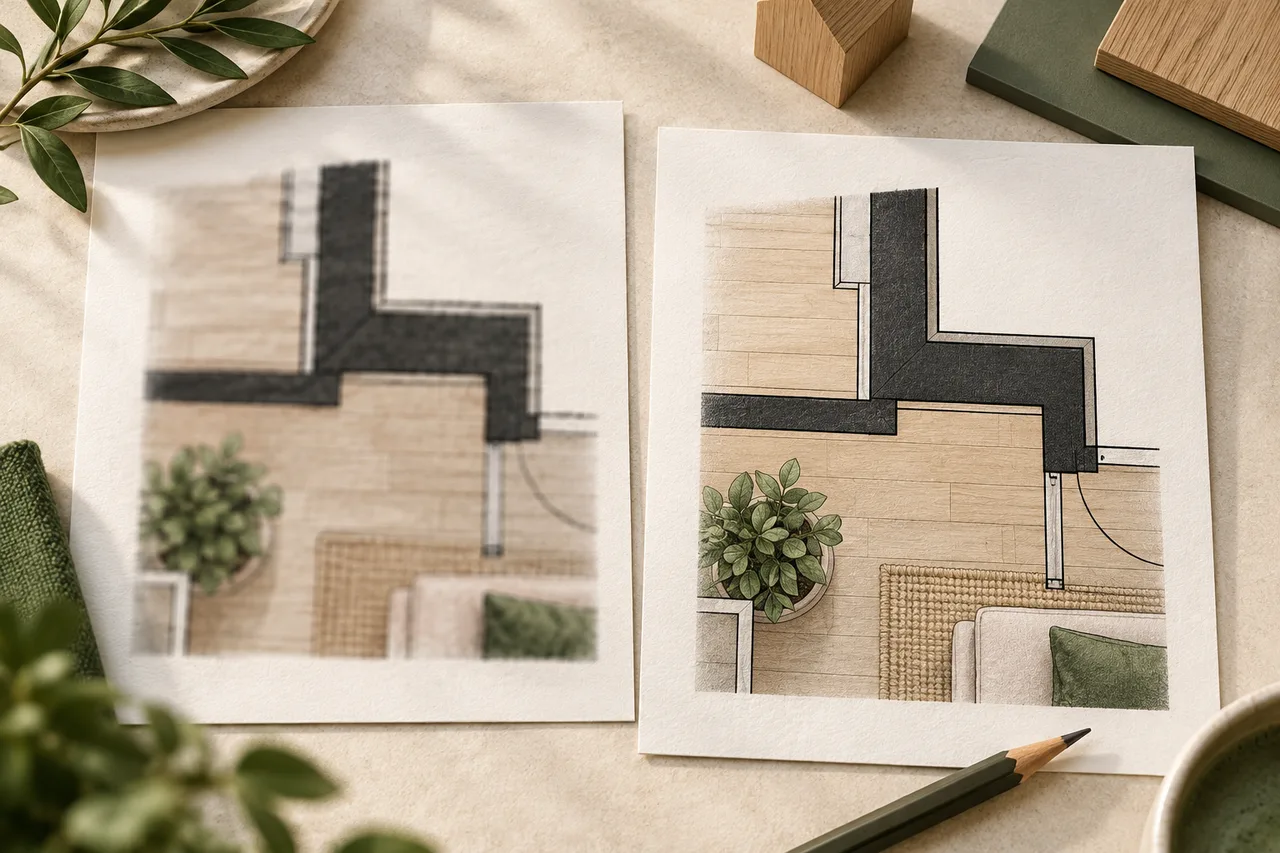
For a clean digital line drawing, PNG is usually a useful export choice because it preserves hard edges without JPEG's lossy compression. JPG can still work well for a clear photograph or an existing high-quality scan. The quality of the source matters more than renaming its extension.
Both PNG and JPG are accepted by the 3D House Maker converter. Choose the version in which you can most clearly distinguish walls, openings, and nearby annotations.
What compression changes
JPEG compresses images by discarding some visual information. Around dark lines on a light background, strong compression can produce fuzzy blocks or pale halos. Those artifacts can complicate threshold-based wall extraction, particularly when thin boundaries are close together.
PNG compression preserves the saved pixel values. It cannot improve pixels that were already blurred or damaged before export. Saving a low-quality JPG as PNG avoids another JPEG encoding step, but it does not reverse the earlier loss.
Start with the original when possible
If you have a drawing application or the original PDF, export from that source. Avoid a chain of screenshots, chat-app copies, and resaved images. Each step may reduce dimensions, apply compression, or add interface elements around the drawing.
For a phone photograph of paper, focus, perspective, and lighting are the first problems to solve. PNG does not correct a tilted camera or shadows across the page. Photograph the paper straight on, use even light, and verify all corners are visible before considering file format.
Compare a difficult part of the drawing
Do not judge quality only from the full-page thumbnail. Zoom into a narrow doorway, a thin internal wall, and a label close to a wall. Compare whether their edges remain separate. Look for small bridges of dark pixels that join objects which should be disconnected.
A useful comparison is to export one PNG and one moderate-quality JPG from the same source at the same pixel dimensions. If the JPG shows visible artifacts around linework, prefer the PNG if it fits the upload limit. There is no single quality setting that guarantees correct extraction for every plan.
Balance dimensions and file size
The current upload limit is 15 MB. A very large file is not automatically a better input: it may contain broad margins, texture, or irrelevant details rather than more useful wall information.
Crop unrelated page content first. Then reduce dimensions carefully if needed, checking the thinnest relevant lines after each change. Upscaling a small image creates more pixels without recovering the original geometry. If wall gaps are already indistinguishable, look for a better source.
A practical selection rule
- Use PNG for a crisp exported line plan when it fits the limit.
- Keep a good JPG if it is the clearest source available.
- Prefer an original PDF over a screenshot of that PDF when the selected page is suitable.
- Preserve an untouched source and create a separate upload copy.
- Review the converted walls regardless of the format chosen.
The filename can be descriptive, such as ground-floor-wall-plan.png, but the filename itself does not improve recognition. The image must contain the right information. See the upload preparation checklist before converting.